How to Untangle your fragmented pipeline
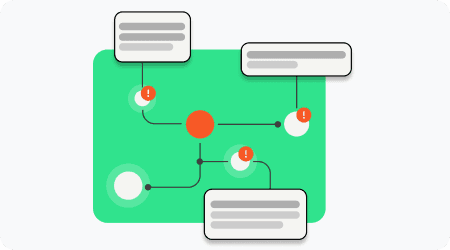
Fragmented pipelines are a problem, but they’re not inevitable. Here’s how to unify your game’s data and reclaim your team’s productivity.
1. Centralize Your Data Schema
Solution
Use a single source of truth for all game data (characters, items, quests, etc.).
Version control: Track changes to data just like you track changes to code (e.g., Git for data files).
Validation: Enforce rules (e.g., "health must be a number") to catch errors early.
Benefits
No more "Which file has the latest data?": Everyone knows where to find the most up-to-date information.
Changes propagate automatically: Update a value in the schema, and it syncs to all dependent systems.
Fewer errors: Validation catches mistakes before they reach the engine.
How to Start
Audit your current data: List all the places where game data is stored (spreadsheets, JSON files, engine classes, etc.).
Consolidate: Migrate data to a centralized system (e.g., a single JSON file, a database, or a custom tool).
Enforce validation: Use scripts or tools to automatically check for errors (e.g., missing fields, invalid values).
2. Connect Narrative Logic to Game Data
Solution
Declarative logic: Use a system where logic is defined in a data-driven way (e.g., JSON/YAML rules instead of hardcoded scripts).
Runtime simulation: Test logic without breaking the game (e.g., simulate a quest flow before it’s implemented).
Benefits
Non-technical team members can tweak logic directly: Writers and designers can make changes without waiting for engineers.
Fewer bugs: Logic errors are caught before they reach the engine.
Reusable logic: Declarative rules can be shared across projects or adapted for different engines.
How to Start
Identify hardcoded logic: Find places where logic is baked into scripts (e.g., C# or Luau files).
Extract to data: Move logic to data files (e.g., JSON, YAML) that can be edited by non-engineers.
Build a simulator: Create a tool to test logic in isolation (e.g., a simple script that runs quest rules without the full game).
3. Integrate Dialogue with the Rest of the Game
Solution
Dialogue graphs that reference game objects directly (e.g., link a dialogue line to a character’s ID in the schema).
Automated key management: Ensure dialogue IDs and localization keys stay in sync with the schema.
Benefits
No broken references: Rename a character in the schema, and all dialogue updates automatically.
Context for translators: Localization tools show where and how strings are used in-game.
Easier maintenance: Dialogue is self-documenting; it’s clear how each line connects to the game world.
How to Start
Audit your dialogue: List all dialogue systems and how they reference game data.
Replace hardcoded strings with IDs: Instead of
"hero_sword", use"item:hero_sword"to link to the schema.Automate syncs: Use scripts to auto-update dialogue references when the schema changes.
4. Embed Localization in Your Pipeline
Solution
Preserve string IDs through schema changes: If a character’s name changes, their localization keys update automatically.
Contextual translation: Give translators in-game context (e.g., screenshots, dialogue graphs) for each string.
Benefits
No last-minute localization crunches: Localization stays in sync with development.
Higher-quality translations: Translators understand the intent behind each string.
Faster turnaround: Automated syncs reduce manual work for translators.
How to Start
Link localization keys to schema IDs: Ensure every string in your TMS is tied to a stable ID in the schema.
Provide context: Include screenshots, dialogue graphs, or in-game footage in your localization files.
Automate updates: Use scripts to auto-remap keys when the schema changes.
5. Make Documentation Dynamic
Solution
Link docs to data: Documentation automatically updates when the schema or logic changes.
Visual relationships: Use graphs or diagrams to show how systems connect (e.g., "This quest triggers this dialogue, which unlocks this item").
Benefits
Always up-to-date: No more outdated docs.
Faster onboarding: New hires understand the big picture immediately.
Better collaboration: Teams can see how their work fits into the larger project.
Start with Grimoire
Keeping everything in sync, and having everything at your fingertips might sound great, but in real-life it is hard to keep it up.
That is why we have built Grimoire. Try it out and feel the power of one central place for all your game-data.